
How To Preload GTA 6 On PS5 And Xbox Before November 19
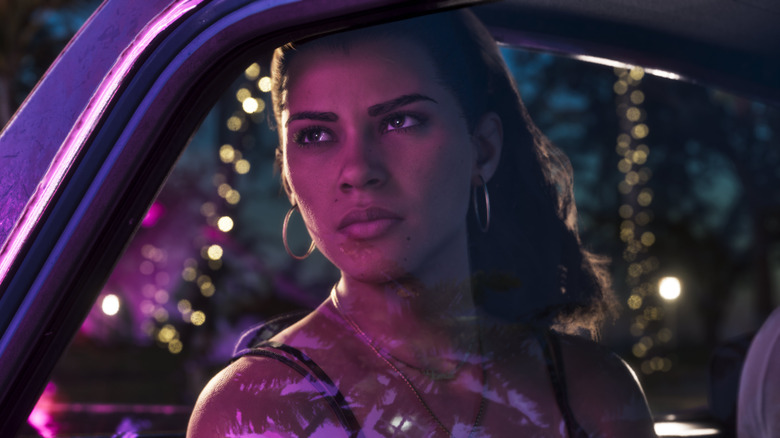
After 13 years of waiting, Rockstar Games is finally delivering "Grand Theft Auto VI" to the world. No more delays. No more suspense. It's finally happening. It's a big deal in every sense. So much so that the release of "GTA 6" could cost the U.S. economy $1 billion in a single day. And eager gamers out there want to be ready when the day comes. We're here to help with that.
The "GTA 6" download size could be a major problem for some players. Put lightly, this game is massive. The last thing anyone wants is for the day to arrive only to have to wait for the game to load for hours on end. Fortunately, Rockstar is allowing people to preload the game on their console of choice. But how does one go about that? How is it going to work? How is it different for PlayStation and Xbox owners? These are all questions with answers that we're going to lay out so that everyone can be ready to head back to Vice City when the time comes.
We're going to go over everything you need to know about preloading the game before it arrives on November 19. This should answer all major questions players will have, from file size to console-specific instructions. Let's dive in, shall we?
When can GTA 6 preloads begin and how much storage will players need?
Preloads for "Grand Theft Auto VI" begin as of today, Tuesday, November 10. The time depends on the console. For PlayStation owners, digital pre-loading will begin at midnight local time in your respective time zone. For Xbox owners, pre-loading kicks off at midnight GMT. For anyone in another time zone, just keep your eyes on GMT time and go from there. Once the clock strikes 12, it's good to go.
Don't forget, the "GTA 6" physical edition doesn't include a disc, just a download code. Fortunately, Rockstar has that covered as well so those who decided to do a physical pre-order won't be hung out to dry. Code-in-box versions for both consoles should be available from retailers beginning November 12, according to Rockstar. So, those who want to have the game loaded up and ready to go on release day should plan ahead and get their code in advance.
It's also important to remember that the "GTA 6" release time varies by region, so that will come into play depending on where you live. As for how much room one needs to reserve on the console for the preload? That's very important. Rockstar states that users will need up to 212 gigabytes, depending on the device. That's an enormous amount of space on current gen consoles. Get ready to delete some old games and/or grab an external hard drive.
Naturally, people's internet speeds will vary, so that also needs to be taken into account. Even under the best of circumstances, 200-plus gigs is going to take a while to download. Plan accordingly.
How to preload GTA 6 on PlayStation and Xbox consoles
Now, let's go over how to actually go through the preload process for the PlayStation 5 and the Xbox Series X|S, step by step. The process varies a bit.
For the PlayStation 5, first and foremost, players must have auto-downloads enabled, and their console must be powered on or put into Rest Mode. You must then set your console to connect to the internet while in rest mode. To do so, go to Settings > Saved Data and Game/App Settings > Automatic Updates. Then, turn on Auto-Download or Auto-Install in Rest Mode.
When it comes to actually setting up the auto download for "GTA 6," from your landing page, select Game Library and then select "GTA" from the list. A timer counting down to the game's release will be shown. Select the timer and a list of content included with your pre-ordered game appears. If the checkbox next to the content is selected, auto-download is enabled. Depending on whether you ordered the "GTA 6" Standard or Ultimate edition will dictate what content is available, but this will allow the game to be auto-installed.
For Xbox users, players also must have automatic updates enabled, and their console must be powered on or in Sleep mode. By default, current Xbox consoles are set to receive updates automatically. To make sure your console is set to update automatically, just press the XBOX button to open the guide. Then, select Profile & system > Settings > System > Updates. Under Updates, select "Keep my games & apps up to date" to update games and apps automatically. That should do it!
If players have any additional questions about the game's launch, check out our complete "GTA 6" launch guide.
"Grand Theft Auto VI" arrives on November 19, 2026.