
5 GTA 6 Driving Tips And Tricks To Make Getting Around Easier
Contains spoilers for "GTA 6"
With the unbelievable achievement that is "Grand Theft Auto 6," Rockstar Games has delivered the most detailed in-game world yet. There's so much depth to "GTA 6" you could play it for a year straight and still discover new things. "GTA 6" comes with a newly-revamped wanted system, advanced NPC AI, an in-depth relationship mechanic, and dozens of mini-games and side activities.
Then, there's the driving. Gone are the days when you could run around a GTA game and simply peel off in a car of your choosing. The entire driving system has been re-imagined for "GTA 6," with some vehicles requiring special keys to boost. That's just one of numerous new features and hidden options that are easy to overlook.
For instance, did you know you can press square/X while driving a car to swing the door open and take out unsuspecting pedestrians or even bikers? If you hit square/X while riding a motorcycle, you can deliver a swift kick to any unfortunate individual next to you. You can also refuel at gas stations, but what many might not realize is that you can also use these gas stations for repairs. These are just two small examples of the new driving and travel features in "GTA 6." Want more? Well, you're in luck because we've rounded up five of the best driving tips and tricks to make getting around Leonida as smooth as possible.
Set waypoints on the fly

While Rockstar has packed "Grand Theft Auto 6" with new details and features, much of the core GTA formula remains. That means carrying out missions for some of the most reprehensible figures in Leonida, which often involves traveling to specific locations to receive your marching orders.
If you want to make setting waypoints easier, there's a very simple but extremely useful shortcut. Rather than opening the map and setting a waypoint (which you can still do if you so wish), "GTA 6" allows you to hold down on the d-pad to see important nearby map icons. From here, you can cycle through the various icons by pressing the L1 and R1 buttons (while still holding down on the d-pad) and pressing R3 to mark them as a waypoint.
This applies to many map markers, including story missions, nearby businesses, and other points of interest. However, this quick-view won't show you every possible nearby icon. To see everything, you have to open the map itself. Otherwise, this feature allows you to set a waypoint mid-drive in a matter of seconds, which can be hugely helpful if you need directions in a hurry.
Bring your car to you
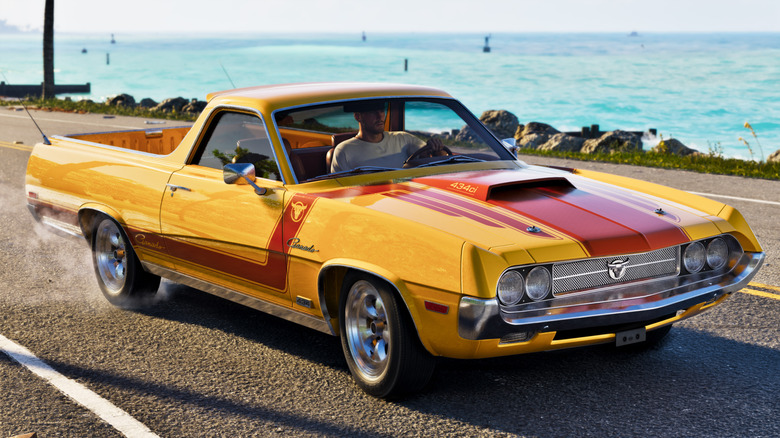
"Grand Theft Auto 6" puts more emphasis on keeping your personal car than prior games. Since cars now allow you to stash items, it's more important than ever to not keep cash and other valuables in stolen vehicles that you're likely to lose very quickly. What's more, "GTA 6" might just be a better car customization game than Need for Speed, meaning you can easily sink an inordinate amount of time into modding your car only to be forced to abandon it during a criminal rampage. Thankfully, Rockstar has provided two options for summoning your personal car to wherever you are on the map.
First up is your old pal Joey, a mechanic who becomes a handy contact during the game's first chapter. Simply opening your phone (up on the d-pad), going to your Contacts app, and calling Joey will have your personal ride delivered to your location. Even better, the car arrives fully repaired and looking good as new.
As the game goes on, you have another car delivery option: the Scooter Bros app. After the Chapter Two mission "Moses" you can access the app on your phone and request one of your personal vehicles. It will appear instantly, though you'll be charged a fee. The Scooter Bros app can be updated, too, allowing for more deliveries and the ability to recover impounded vehicles.
Turn on auto-drive for a smoother journey

Look, we all know part of the fun of a Grand Theft Auto game is barreling around the map with a total disregard for the rules of the road. But sometimes, it's not all that fun to make a long trip to your next mission. With the "GTA 6" map being the biggest Rockstar Games has ever designed, longer journeys are par for the course. Thankfully, you can now auto-drive in "GTA 6."
First, you'll need to open the pause menu and go down to settings. From here, use R1 to go to the "Gameplay" menu. Scroll down and make sure "Auto Drive" is set to "Unrestricted," otherwise the game will only let you use it in scenarios it deems "safe." Back in the game, set a waypoint to a location, hop into a vehicle, and hold down on the d-pad. From here, you can press the menu button to enter cinematic mode. Holding down circle/B will make the game take over and drive you to your destination.
It should be noted that this auto-drive feature follows traffic laws, which means you'll spend some time sitting at lights, trailing other drivers, and generally driving in the most boring, non-GTA way possible. If you've got no time for the rules of the road, use R2 to speed up the ride. There are three different speeds to choose from, with three obviously being the fastest.
Use the RydeMe app for fast-travel
The map in "Grand Theft Auto 6" has a strange limitation you won't notice right away, namely that the story plays out in the Leonida keys for some time, giving you less incentive to check out the rest of the map. But GTA has always been about exploration, and most players will surely mount a road trip as soon as they get the chance. However, the massive map makes getting from A to B more of a task than ever before.
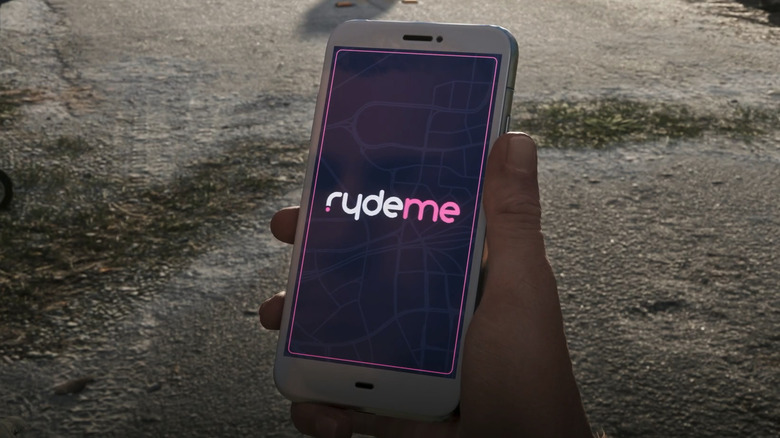
Your best option for covering long distances quickly is the 'RydeMe' app, which can be accessed via your phone after the "Buck Me" mission in Chapter One. It's the Uber of "GTA 6" and allows you to call a ride. Once in the car, you can hold L2 to bring up several options. One allows you to tip the driver $5 to drive faster. To speed things up, you can pay $100 to instantly travel to your destination.
If you frequently rely on fast travel, be warned. Your RydeMe account will be suspended for 15 to 20 minutes if you commit crimes near the vehicle or take out your gun during a ride. You can also use Paradise Taxi to fast travel, but you'll need cash. RydeMe is better in that you can use whatever funds are in your bank account. Otherwise, you can switch between Jason Duval and Lucia Caminos to get elsewhere, but you won't be able to pick that location as it depends on where the characters are when time you switch.
Shove your overturned car to get back on the road
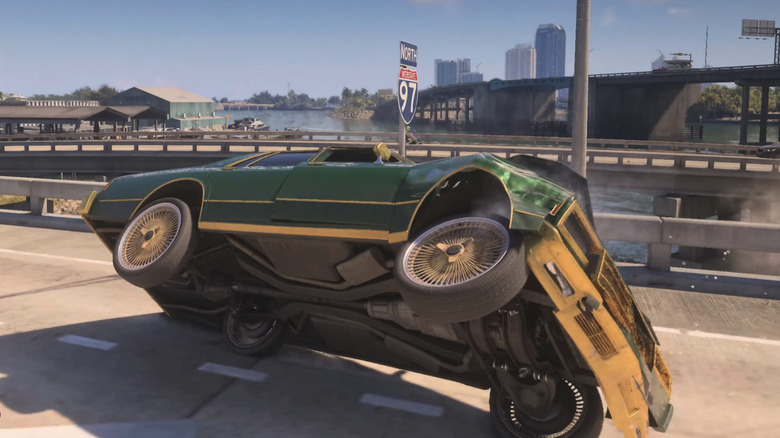
This is a bit of a hidden "Grand Theft Auto 6" tip. Flipping a car in a GTA game is one of those things that's guaranteed to happen. Previously, overturning your vehicle was a quick way to make it blow up and become unusable. "GTA 5" added the ability to rock your car back onto its wheels, but in "GTA 6," Rockstar has made a big change.
If you flip your car, simply walk up to its side and press the L3 button. This will make your character push the body of the car. From here you can hold square/X to flip the car back over. Whether you're successful depends on the car's weight and how much stamina you have. But it's a very useful feature that the game doesn't make very obvious. It also lets you get back on the road without having to use the Scooter Bros app to pay to have the car towed. Additionally, on a wanted level you can't respawn your owned cars, making the shove feature particularly handy when the heat is on.
Shoving vehicles is useful in other scenarios as well. If your vehicle runs empty, you can push it down the road to a gas station. You're also able to push boats from the land into water, and can even shove them from trailers. Shoving the boat is especially useful if you run aground while on the water.